

How to Withdraw Upwork Earnings to a Local Bank in India in 2026
The best ways for Indian freelancers to withdraw Upwork earnings to a local bank in 2026, with fees and timelines compared.
- Your Withdrawal Options on Upwork
- What the Fees Actually Look Like
- The Real Problem: You're Converting Too Early
- A Better Setup: Receive in USD, Spend and Withdraw on Your Terms
- Step-by-Step: Setting Up Your Upwork Withdrawal to a USD Account
- What to Watch Out For
- Comparing Your Options Side by Side
- FAQs
If you freelance on Upwork from India, getting your money out is rarely as simple as it should be. The platform gives you a few withdrawal options, but each comes with its own fees, timelines, and fine print. Knowing which method fits your situation — and what alternatives exist — can save you real money every month.
This guide covers every current withdrawal method, what each one actually costs you, and how to think about your setup if you want to keep more of what you earn.
Your Withdrawal Options on Upwork
Upwork gives Indian freelancers several ways to move earnings off the platform. Here is how each one works in practice.
Direct to Local Bank (Wire Transfer)
You can link an Indian bank account directly in your Upwork payment settings. Upwork sends funds via international wire transfer, and the money arrives in INR after conversion.
Standard processing takes 3 to 5 business days after Upwork releases the funds. Your bank may add its own charges on top of Upwork's withdrawal fee, and the exchange rate applied during conversion matters too — a poor rate on a $2,000 withdrawal can cost you more than the stated fee.
Payoneer
Payoneer is Upwork's integrated partner for international withdrawals. You connect a Payoneer account, receive funds there, and then withdraw to your Indian bank.
This adds a step but gives you more control over when you convert. Payoneer charges its own transfer fee when you move money to a local bank, and its exchange rates carry a margin. If you receive payments frequently, those margins add up.
Wise (formerly TransferWise)
Upwork supports withdrawals to Wise accounts. You receive funds in USD into your Wise balance, then transfer to your Indian bank in INR. Wise is known for mid-market exchange rates, which makes it one of the more cost-efficient options for the conversion step.
The process involves two accounts and two steps, but the rate transparency is genuinely better than most alternatives.
M-Pesa and Other Local Options
M-Pesa is not available in India. For Indian freelancers, the main options remain direct bank wire, Payoneer, and Wise.
What the Fees Actually Look Like
Upwork charges a withdrawal fee on each transaction, and the exact amount depends on the method you choose. Beyond that, you face:
- Currency conversion margin: The gap between the mid-market rate and what you actually receive
- Bank receiving fees: Some Indian banks charge to receive international wire transfers
- Intermediary bank charges: SWIFT transfers sometimes pass through correspondent banks that take a cut
On a $1,500 withdrawal, a 2% conversion margin plus a bank receiving fee can quietly take $40 to $60 before the money reaches your account. Over a year, that is a meaningful number.
The Real Problem: You're Converting Too Early
Most Indian freelancers on Upwork withdraw to INR by default — because it is the path of least resistance. But converting USD to INR at every withdrawal means you absorb the exchange rate at whatever moment the transfer happens. If the rupee weakens over the following weeks, you have already locked in the lower value.
Holding your earnings in USD longer gives you more flexibility. You can convert when the rate is favorable, use the USD balance to pay for international tools directly, or simply keep a buffer in a stable currency.
The challenge is that most Indian bank accounts do not hold USD. FCNR and RFC accounts exist, but they come with eligibility requirements and are not designed for day-to-day spending.
A Better Setup: Receive in USD, Spend and Withdraw on Your Terms
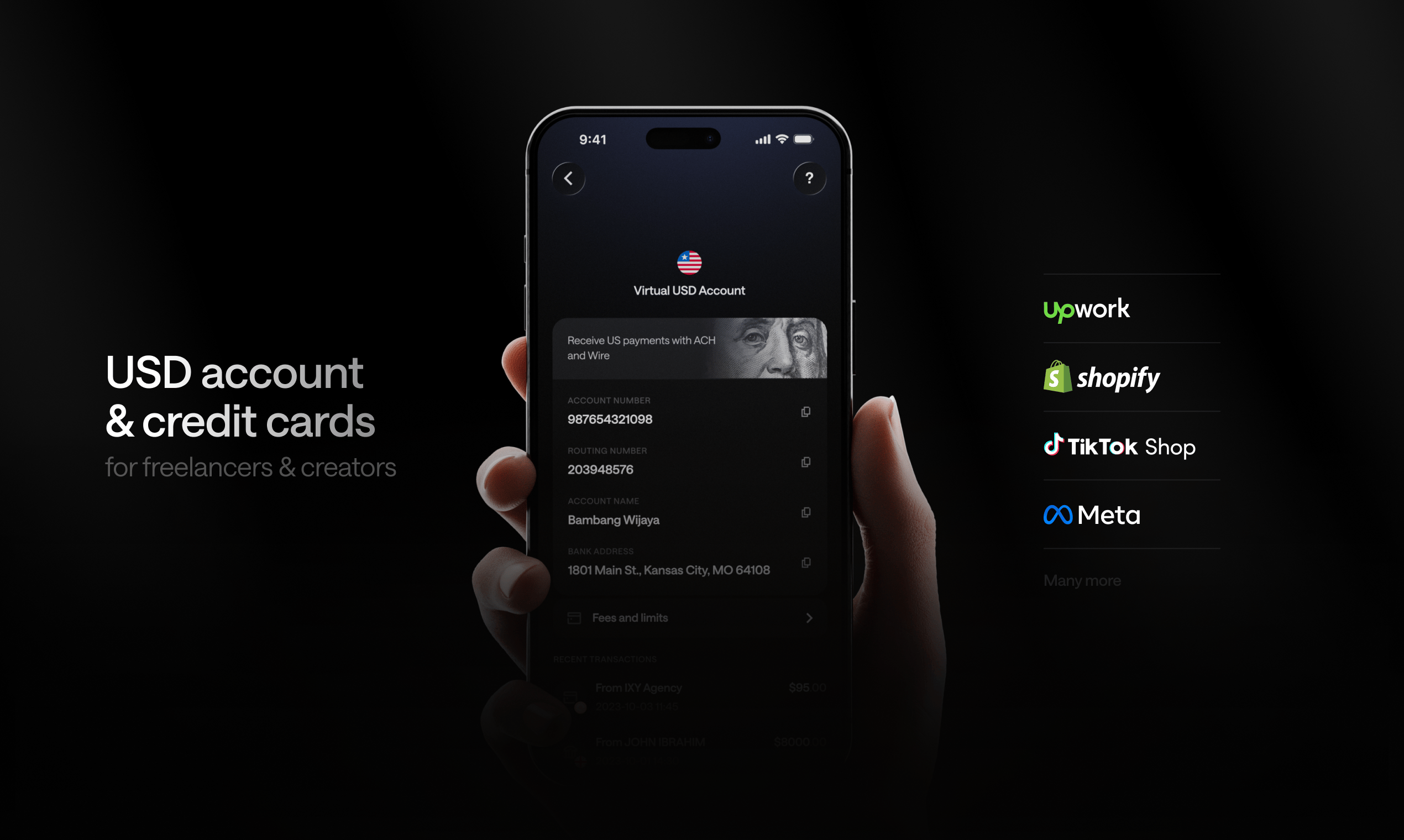
This is where a virtual USD account changes the equation. Instead of withdrawing from Upwork directly to your Indian bank, you route your earnings to a USD account first — hold the balance, spend where you need to, and withdraw to your local bank only when it makes sense.
Kosh is built for exactly this. It gives you a virtual USD account that accepts ACH, Wire, and SWIFT transfers from Upwork — no US address required, no US bank account required. Your balance holds in stablecoins (USDC or USDT), which keeps it pegged to the dollar without the volatility of other crypto assets. When you want INR in your local bank, you withdraw on your schedule.
Beyond holding USD, Kosh gives you a virtual or physical card to spend directly from your balance — on tools like Figma, Canva, AWS, or Google Cloud — without converting to INR first. The card works with Apple Pay and Google Pay. You also earn 5% cashback on hotel bookings and 10% reward points on eligible card spend, which adds up if you travel or book accommodation regularly.
Account creation is free, and Kosh is available in India as part of its 90+ country coverage.
Step-by-Step: Setting Up Your Upwork Withdrawal to a USD Account
Here is the practical flow for routing Upwork earnings to a USD account before deciding what to do with them:
- Create your Kosh account at koshmoney.com — free to sign up
- Get your USD account details from Kosh, including your ACH routing number and wire/SWIFT details
- Log into Upwork and go to Settings > Get Paid
- Add a new payment method — select Wire Transfer and enter your Kosh USD account details
- Set your withdrawal schedule — Upwork lets you choose manual, weekly, or bi-weekly
- Withdraw to your Indian bank from Kosh when you want INR, or spend directly from the card
This setup keeps you in control of the conversion timing and gives you a USD balance you can actually use.
What to Watch Out For
A few things worth knowing before you change your withdrawal setup:
Upwork's security review: Adding a new payment method sometimes triggers a brief hold while Upwork verifies the details. This is normal and usually resolves within a few days.
RBI compliance: Indian residents earning foreign income are required to repatriate funds within specified timeframes under FEMA regulations. Holding USD in a foreign account for day-to-day use is generally fine for working balances, but large amounts held indefinitely may have compliance implications. If your earnings are substantial, it is worth checking current RBI guidelines or speaking with a CA.
Minimum withdrawal amounts: Upwork has minimum thresholds for wire transfers. Check your current settings before initiating a transfer to avoid falling below the minimum.
Comparing Your Options Side by Side
| Method | Holds USD? | Spend Without Converting? | Typical Speed |
|---|---|---|---|
| Direct to Indian bank | No | No | 3–5 business days |
| Payoneer | Yes (briefly) | Limited | 2–3 business days |
| Wise | Yes | Limited | 1–2 business days |
| Kosh USD Account | Yes | Yes (card + Apple/Google Pay) | Per transfer schedule |
The right choice depends on your volume, how often you need INR, and whether you spend in USD regularly. If you pay for SaaS tools, cloud services, or travel, a USD account with a spend card is more practical than converting everything to INR and back.
FAQs
Can I withdraw Upwork earnings directly to an Indian bank account? Yes. Upwork supports direct wire transfers to Indian bank accounts. You add your bank details in the payment settings, and funds arrive in INR after conversion. Processing typically takes 3 to 5 business days after Upwork releases the payment.
What is the cheapest way to withdraw Upwork money in India in 2026? Total cost depends on the withdrawal fee, the exchange rate applied, and any receiving fees your bank charges. Wise is generally competitive on exchange rates. Routing earnings to a USD account first and converting on your own schedule can also reduce the impact of unfavorable rates.
Do I need a US bank account to receive Upwork payments in USD? No. You can receive Upwork payments via SWIFT to international accounts that hold USD, including virtual USD accounts like Kosh. No US address or US bank account is required.
How long does an Upwork wire transfer to India take? Standard international wire transfers from Upwork take 3 to 5 business days after funds are released. Processing times vary by bank and may be longer around public holidays.
Is it legal to hold Upwork earnings in a USD account outside India? Indian residents earning foreign income must comply with FEMA regulations, which generally require repatriation of funds within a reasonable period. Holding a working USD balance for day-to-day use is typically fine, but large or long-term holdings may have compliance implications. If your earnings are significant, consulting a chartered accountant familiar with foreign income is advisable.
Can I use my Upwork earnings to pay for tools like Figma or AWS without converting to INR? Yes, if you hold your balance in a USD account with a spend card. With Kosh, you can pay for Figma, AWS, Google Cloud, Canva, and similar services directly from your USD balance using the Kosh card — no INR conversion required.
What happens if I set up a new payment method on Upwork? Upwork may place a temporary hold on withdrawals when you add a new payment method as a security measure. This usually clears within a few business days. If you have a payment due soon, it is worth planning around this before making the switch.
Your Upwork earnings are in USD. Your tools, subscriptions, and travel often cost USD. Converting everything to INR at the moment of withdrawal — and paying conversion fees each time — is the default, not the optimal path. A USD account that accepts your Upwork payments, holds your balance stably, and lets you spend or withdraw on your terms puts you in a much better position. Learn more at koshmoney.com.