

Kosh Card Review 2026: Fees, Features, and How It Works for Freelancers
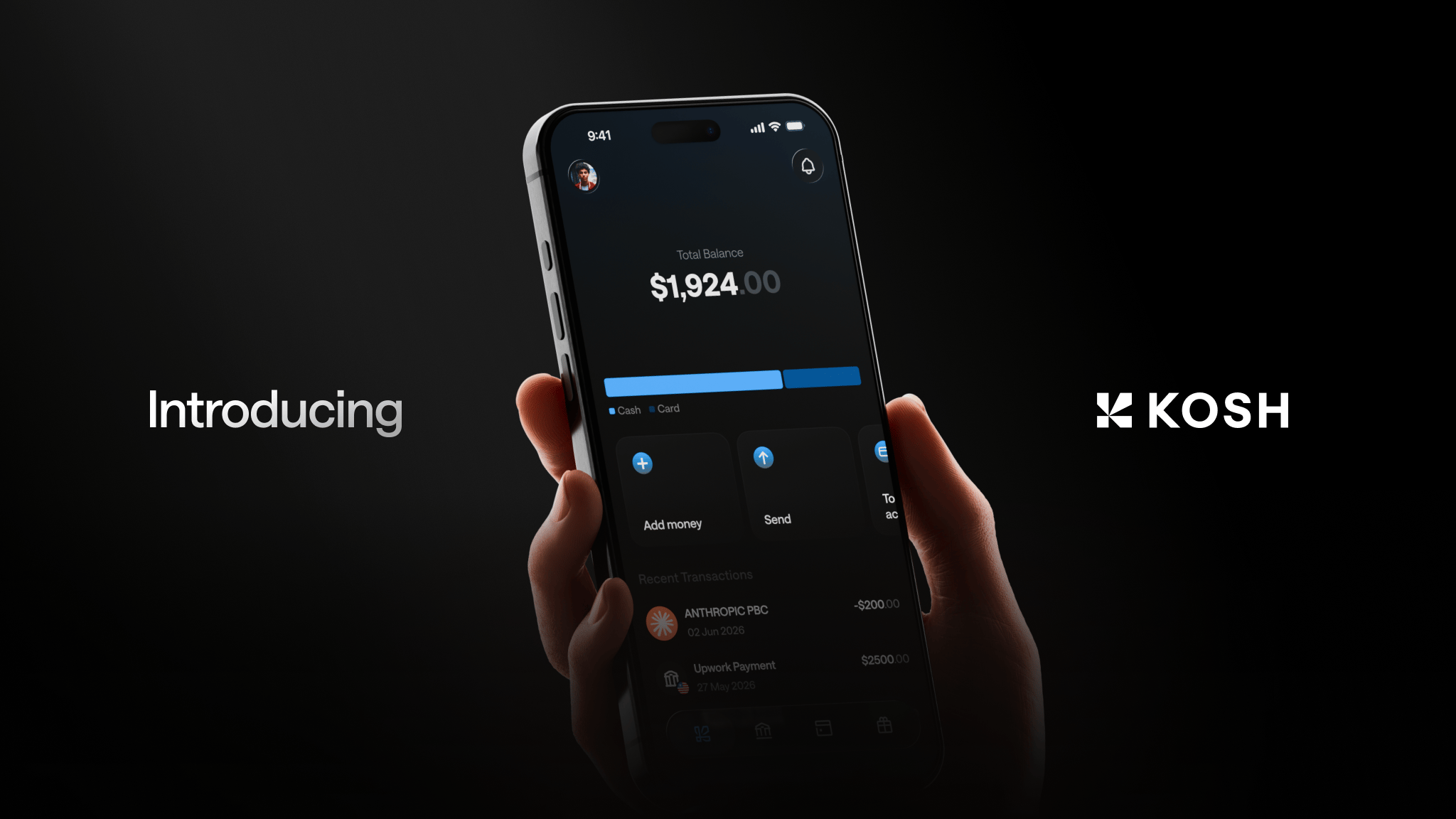
An in-depth review of the Kosh card in 2026: fees, features, limits, and how it works for freelancers who earn in USD.
- What Is the Kosh Card?
- How the Kosh Card Works
- Kosh Card Features in 2026
- Who the Kosh Card Is Built For
- Kosh Card vs. Alternatives
- Fees
- How to Get Started
- FAQs
If you earn USD on Upwork, Fiverr, Deel, or YouTube and you live outside the United States, you already know how this goes. Your money lands in a platform wallet, and moving it somewhere you can actually spend it costs time, fees, and sometimes a cut of your earnings you never agreed to hand over.
The Kosh card is built for exactly this situation. Here's what it does, how it connects to your account, what you earn in rewards, and whether it deserves a spot as your primary card in 2026.
What Is the Kosh Card?
The Kosh card is the spending layer of the Kosh global financial account. You receive payments from freelance platforms or clients into your Kosh USD account via ACH, Wire, or SWIFT. Your balance is held in stablecoins (USDC or USDT). When you pay for something — online or in person — the card draws directly from that balance.
Two versions are available: virtual and physical. Both work with Apple Pay and Google Pay, so you can start spending the moment your account is funded. No separate bank account needed. No waiting for a wire to clear.
How the Kosh Card Works
Getting Your Balance onto the Card
The flow is simple. You set up your Kosh account and get a virtual USD account with ACH and Wire routing details, plus SWIFT details for international senders. Add those details to Upwork, Deel, Fiverr, or wherever your clients pay you. Payments arrive into your Kosh account and your balance is held in stablecoins — which means it holds its USD value instead of converting into a local currency that may lose ground.
When you spend with the Kosh card, the transaction pulls from your stablecoin balance in real time. No cashing out. No moving money to a second account first.
Virtual vs. Physical Card
The virtual card is ready immediately after setup. It works for any online purchase, subscription, or service. Freelancers in Nigeria, Pakistan, India, the Philippines, and other markets use it to pay for tools like Figma, Canva, OpenAI, AWS, Google Cloud, and Netflix — no foreign credit card required, no US billing address needed.
The physical card extends that same access to in-person spending worldwide. It works wherever the card network Kosh issues through is accepted.
Kosh Card Features in 2026
Multi-Currency Account Access
Your Kosh card connects to a dashboard that holds USD, EUR, GBP, and AED accounts. If you work with clients across different regions, you can receive in the relevant currency and manage everything from one app — more practical than juggling separate accounts at different providers.
Rewards: 5% Cashback and 10% Points
The rewards program is one of the more concrete things that sets Kosh apart. You earn 5% cashback on hotel bookings and 10% reward points on eligible card spend. For a freelancer spending $2,000 a month on tools, subscriptions, travel, and daily expenses, that adds up to real money over a year.
Most comparable cards for international freelancers offer minimal rewards or none at all. The 5% cashback on hotels is especially useful for digital nomads moving between countries.
Email-Based Transfers
You can send money to anyone using just their email address — no bank details required on their end. It works similarly to PayPal, but without the geographic restrictions that make PayPal unreliable in markets like Nigeria, Pakistan, or Bangladesh. None of the main competing products in this category offer this prominently.
Family Card Management
One Kosh account can support multiple cards. If you want to give a family member a card funded from your account, you can do that without opening a separate account. For freelancers supporting family in markets where USD spending access is limited, this is a genuinely useful feature.
AI-Powered Expense Analysis
The app includes automated spending insights that show where your money goes across categories — no manual tracking required. For freelancers managing business and personal expenses from one account, it's a real help at tax time and for day-to-day financial planning.
Who the Kosh Card Is Built For
This card makes the most sense if you fit one of these profiles:
- You receive USD from Upwork, Fiverr, Deel, Toptal, Freelancer, or YouTube and want to spend it without converting to a local currency first
- You live in Nigeria, Pakistan, India, Egypt, the Philippines, Bangladesh, Kenya, Brazil, or Ukraine and want stable, accessible USD purchasing power
- You pay for international tools — OpenAI, AWS, Figma, Canva — and need a card that works without a US billing address
- You travel regularly and want a card that works globally with Apple Pay or Google Pay
If you're a content creator monetizing through YouTube and want to receive AdSense payments without routing through a local bank, the Kosh account and card combination handles that directly.
Kosh Card vs. Alternatives
A few other products compete in this space, and the differences matter.
KAST is the most structurally similar option — stablecoin-backed USD accounts, global card, ACH/Wire/SWIFT rails. But KAST has a documented trust problem: fund-locking incidents and unresponsive support show up consistently in Google Play reviews, where it holds 3.9 stars from over 1,860 ratings. KAST also limits crypto top-ups to the Solana network only. For a freelancer who needs reliable access to their earnings, that track record is hard to ignore.
Wirex has over 5 million customers and dual Visa and Mastercard membership, but its product is built around crypto trading and broad financial services — not the specific workflow of a platform economy worker receiving from Upwork or Deel. That complexity can work against you if all you want is a straightforward account to receive, hold, and spend.
Bitwage has processed over $400 million in payroll for 90,000+ workers, but it's a payroll routing layer, not a financial account. No native spend card, no email-based transfers. You still need a separate product to actually spend what you earn.
Kosh's positioning is specific: a financial account and card built for freelancers and creators who earn in USD and live outside the US.
Fees
Account creation is free. Kosh doesn't publicly list its full fee schedule, so for current pricing on card transactions, withdrawals, or transfers, check directly at koshmoney.com. Don't assume fees based on competitors — the structure may differ.
How to Get Started
- Download the Kosh app on iOS or Android
- Create your account (free, powered by CopperX)
- Get your USD account details (ACH, Wire, and SWIFT)
- Add those details to Upwork, Fiverr, Deel, or your client's payment system
- Request your virtual card and start spending
The physical card is available for in-person access. Both card types support Apple Pay and Google Pay from day one.
FAQs
What is the Kosh card and how does it work? The Kosh card is a virtual or physical spend card linked to your Kosh global financial account. Your balance is held in stablecoins (USDC or USDT) and the card draws from that balance when you make purchases. It supports Apple Pay and Google Pay and works in 90+ countries.
Can I use the Kosh card to pay for tools like Figma, AWS, or OpenAI? Yes. The Kosh card works for online purchases including Figma, Canva, AWS, Google Cloud, OpenAI, Netflix, Grab, and Gojek — it functions like any international card for online transactions.
Does the Kosh card work if I live in Nigeria, Pakistan, or the Philippines? Yes. Kosh is available in 90+ countries, including Nigeria, Pakistan, India, the Philippines, Bangladesh, Kenya, Egypt, Brazil, and Ukraine. You don't need a US address to open an account or use the card.
What rewards does the Kosh card offer? You earn 5% cashback on hotel bookings and 10% reward points on eligible card spend, applied automatically through the Kosh rewards program.
Is there a fee to open a Kosh account or get the card? Account creation is free. For specific fees on transactions, withdrawals, or card issuance, check the current details at koshmoney.com — pricing is not publicly listed in full.
Can I receive Upwork or Deel payments directly to my Kosh account? Yes. Kosh gives you USD account details with ACH, Wire, and SWIFT routing. Add them to Upwork, Deel, Fiverr, Toptal, or any platform that supports bank transfers.
What makes the Kosh card different from other freelancer payment cards? Kosh combines a USD account, stablecoin-backed balance, global spend card, email-based transfers, and a rewards program in one app designed specifically for platform economy workers. Competing products either lack a native spend card, restrict access by geography or network, or carry documented reliability issues.
The Kosh card is a practical tool if you earn USD remotely and want to spend it without unnecessary conversion, fees, or friction. Your earnings stay in USD, your card works globally, and you earn rewards along the way. Learn more at koshmoney.com.