

How to Receive USD Payments in the Philippines in 2026
A practical guide for Filipino freelancers on receiving USD payments from clients and platforms in 2026 without losing money on conversion.
- Why Receiving USD in the Philippines Is Still Complicated
- Your Main Options for Receiving USD in the Philippines
- How to Set Up USD Payments from Upwork, Fiverr, and Deel in the Philippines
- What to Watch Out For
- Comparing Your Options at a Glance
- FAQs
- The Bottom Line
If you're a freelancer in the Philippines earning USD from clients abroad, you already know the friction. Your Upwork payment clears, but by the time it reaches your local bank, you've paid a withdrawal fee, absorbed a conversion spread, and waited days for the funds to settle. Then the peso does what the peso does.
This guide covers your real options for receiving USD payments in the Philippines in 2026 — what works, what it costs, and what to watch out for.
Why Receiving USD in the Philippines Is Still Complicated
The Philippines has one of the largest freelancer and remote worker communities in Southeast Asia. BPO workers, virtual assistants, developers, designers, and content creators collectively send billions of dollars home every year. Yet the infrastructure for receiving foreign income remains patchy.
Here's what most Filipino freelancers run into:
- No US bank account. Platforms like Upwork and Deel pay via ACH or Wire, which require US banking details. Without them, you're routed through slower, more expensive SWIFT transfers.
- Currency conversion fees. Every time USD hits a local Philippine bank, it gets converted to pesos at the bank's rate — not the mid-market rate. That spread adds up fast.
- Slow settlement. SWIFT transfers to Philippine banks can take 3 to 5 business days, sometimes longer.
- PayPal restrictions and limits. PayPal is available in the Philippines but comes with withdrawal limits, holding periods, and conversion fees that frustrate serious earners.
- Platform-specific payout rules. Fiverr, YouTube, and Toptal each have their own payout timelines and minimum thresholds.
None of these problems are unsolvable. You just need to know which tools actually address them.
Your Main Options for Receiving USD in the Philippines
1. Local Philippine Banks with Foreign Currency Accounts
Most major Philippine banks — BDO, BPI, Metrobank, UnionBank — offer foreign currency deposit accounts (FCDAs) that let you hold USD without immediate conversion. This is a legitimate option if you already have a strong local banking relationship.
The catch: you still need to fund these accounts somehow. If your client pays via ACH or Wire, you need a US account first. FCDAs accept inbound SWIFT transfers, but that puts you back at the 3-to-5-day wait and the SWIFT fees.
Best for: freelancers with established local banking relationships who receive large, infrequent payments and don't mind the wait.
2. Payoneer
Payoneer is the most widely used payout method among Filipino freelancers on platforms like Upwork, Fiverr, and Freelancer.com. It gives you a US payment receiving account with ACH and Wire details, plus local withdrawal to your Philippine bank in pesos.
The downsides are well-documented. Payoneer charges a fee for receiving payments from clients outside the Payoneer network, a currency conversion fee when withdrawing locally, and a withdrawal fee on top of that. For freelancers earning $1,000 to $3,000 a month, those fees are a real cost.
Best for: freelancers who primarily use platforms with Payoneer built in as a payout option and want a familiar, established name.
3. Wise (formerly TransferWise)
Wise gives you local account details in multiple currencies, including USD, and converts at the mid-market rate with a transparent fee. Filipino freelancers use it to receive USD from clients and withdraw to a local Philippine bank in pesos.
The limitation is that Wise is primarily a transfer product, not a financial account. You can't spend directly from your Wise balance in a way that competes with a full account experience, and holding USD long-term isn't what it's designed for.
Best for: freelancers who want transparent conversion rates and are mainly focused on moving money to their local bank quickly.
4. A USD Account Built for Freelancers
This is where the gap in the market sits. Payoneer and Wise both treat converting your USD into pesos as the end goal. But if you're earning $2,000 to $5,000 a month in USD and spending on tools like Figma, Canva, AWS, or Google Cloud, converting everything to pesos first means paying conversion fees twice — once to get pesos, once to pay USD-denominated subscriptions.
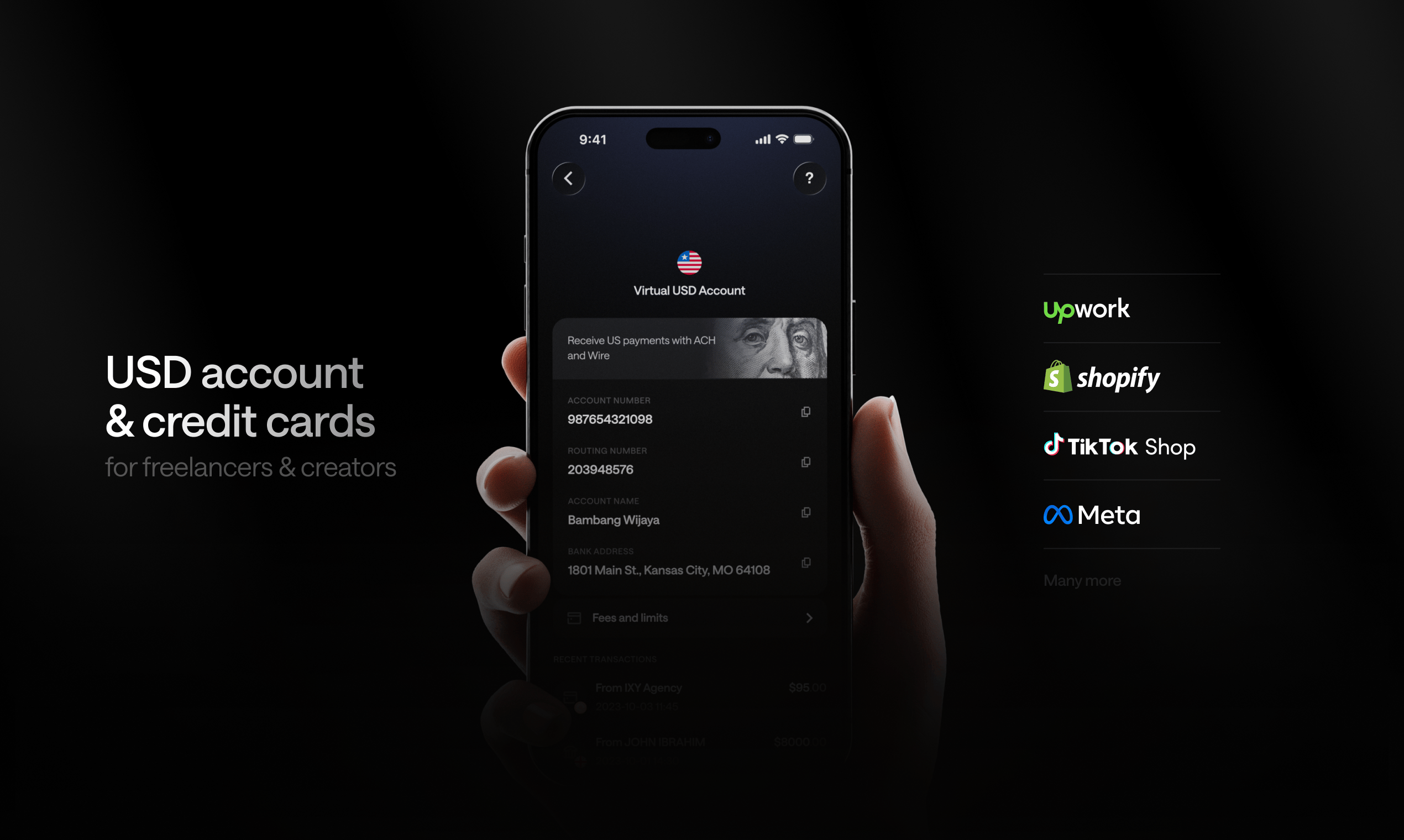
Kosh is built specifically for this situation. You get a virtual USD account with real ACH and Wire routing details, so you can receive directly from Upwork, Fiverr, Deel, Toptal, and YouTube without a US address. Your balance stays in USD, and you spend it directly with a Kosh virtual or physical card that works with Apple Pay and Google Pay.
When you need pesos, you withdraw to your local Philippine bank. But you're not forced to convert everything immediately — and that matters when the peso weakens.
How to Set Up USD Payments from Upwork, Fiverr, and Deel in the Philippines
The setup process is roughly the same regardless of which tool you use. Here's what it looks like in practice.
Step 1: Get a USD account with ACH and Wire details
This is the foundation. Platforms like Upwork and Deel pay via ACH or Wire. You need a routing number and account number to receive these payments. Payoneer, Wise, and Kosh all provide this.
With Kosh, account creation is free. You get USD account details you can enter directly into Upwork's payout settings or Deel's payment preferences.
Step 2: Set your payout method on the platform
On Upwork, go to Settings > Get Paid > Add Payment Method and select Direct to Local Bank or Wire Transfer. Enter your USD account details.
On Fiverr, go to Earnings > Withdraw and add your bank account. Select Wire Transfer and enter your routing and account numbers.
On Deel, navigate to Withdrawals and add a bank account. Deel supports ACH and Wire to accounts in 90+ countries.
Step 3: Decide how you want to hold and spend your earnings
This is the decision most guides skip. Once USD lands in your account, you have three paths:
- Convert immediately to pesos and withdraw to your local bank
- Hold in USD and spend with a card — best if you pay for tools in USD
- Hold and transfer to family or colleagues in the Philippines or abroad
With Kosh, all three are available from one account. You can withdraw to a Philippine bank in pesos, spend directly with the Kosh card, or send money by email to someone else without needing their bank details.
What to Watch Out For
Hidden conversion fees
Always check whether the fee is a flat amount or a percentage of the transfer. A "0% fee" product that uses a poor exchange rate is still costing you money. Look for mid-market rate transparency.
Holding period risks
Some platforms hold funds for 7 to 14 days after a contract closes. Factor this into your cash flow planning. If you need faster access, platforms like Deel offer on-demand pay options for eligible contracts.
Account access problems
This is a real issue in 2026. Some account products have faced documented incidents of funds being locked with slow or unresponsive support. Before committing to any product, check recent reviews on Google Play and the App Store, and look for community feedback in Filipino freelancer groups on Facebook and Telegram.
Tax reporting
The Bureau of Internal Revenue (BIR) requires freelancers to register as self-employed and declare foreign-sourced income. Receiving USD payments through any of the methods above does not exempt you from Philippine income tax. Clean transaction records from your account dashboard make filing significantly easier.
Comparing Your Options at a Glance
| Option | Holds USD | Spend Card | ACH/Wire Receive | Local PH Withdrawal |
|---|---|---|---|---|
| Local FCDA | Yes | No | SWIFT only | Yes |
| Payoneer | Yes (limited) | Prepaid card | Yes | Yes |
| Wise | Yes | Debit card | Yes | Yes |
| Kosh | Yes | Virtual + physical | Yes | Yes |
The right choice depends on how you earn, how you spend, and how much you care about holding USD versus converting immediately. If most of your expenses are in pesos and you want simplicity, Payoneer or Wise works. If you pay for USD-denominated tools, travel frequently, or want to hold your earnings in a stable currency, a full USD account like Kosh gives you more control.
FAQs
Can I receive USD payments from Upwork in the Philippines without a US bank account? Yes. Services like Kosh, Payoneer, and Wise all give you US account details — routing number and account number — that Upwork accepts for ACH or Wire payouts. No US address or US bank account required.
How long does it take for USD to arrive from Upwork or Fiverr to a Philippine account? ACH transfers typically take 1 to 3 business days. Wire transfers are usually 1 to 2 business days. SWIFT transfers to local Philippine banks can take 3 to 5 business days. Using an account that accepts ACH or Wire directly is faster than routing through SWIFT.
Do I have to convert USD to pesos immediately when I receive it? No — not if you use a foreign currency account or a USD account like Kosh. You can hold your balance in USD and convert to pesos only when you need to withdraw locally. That protects you from converting at a bad rate on a bad day.
Is it legal to receive USD payments as a freelancer in the Philippines? Yes. Filipino freelancers can legally receive foreign income. You are required to declare it to the BIR and pay the applicable income tax. Keeping records of your transactions makes this process straightforward.
What's the best way to pay for tools like Figma, Canva, or AWS from the Philippines? If you hold USD in an account with a spend card, you can pay for these tools directly in USD without any conversion. Kosh supports payments to Figma, Canva, AWS, Google Cloud, and OpenAI directly from the Kosh card, which also works with Apple Pay and Google Pay.
Can I send money to family in the Philippines from my USD account? Yes. With Kosh, you can send money to a local Philippine bank account or send funds by email to someone who doesn't have their bank details ready. You can also manage family cards from a single Kosh account.
What rewards can I earn on USD spending from the Philippines? Kosh offers 5% cashback on hotel bookings and 10% reward points on eligible card spend. If you travel for work or book accommodation regularly, those rewards add up over a year of consistent spending.
The Bottom Line
Receiving USD in the Philippines in 2026 is easier than it was five years ago, but the default options still cost more than they should. Payoneer and Wise are solid for straightforward peso withdrawals. But if you want to hold USD, spend in USD, and avoid double conversion fees on your tools and subscriptions, you need an account built for exactly that.
Kosh gives Filipino freelancers a USD account with real ACH and Wire details, a card that works globally, and the option to withdraw to a local bank when you need pesos. Account creation is free, and it's available on both Android and iOS.
Your USD earnings deserve a USD account — not a conversion fee.