

How to Receive USD Payments as a Freelancer Outside the US in 2026
A practical guide for freelancers in Asia, Africa, and Latin America on receiving USD payments without a US bank account.
Your client approved the invoice. The money left their account. And then your local bank either rejected it, charged you 5% to convert it, or made you wait three business days to access funds you already earned.
If you're a freelancer in Nigeria, Pakistan, the Philippines, Kenya, or anywhere else outside the US, this is a familiar story. Most global platforms — Upwork, Fiverr, Deel, YouTube — were built around the assumption that you have a US bank account. You don't. And that gap costs you real money, every single month.
This guide covers exactly how to receive USD payments as a freelancer in 2026, what your options actually are, and how to pick the right setup for your situation.
Why Receiving USD Is Still Complicated in 2026
The short answer: most payment rails were built for US residents.
Platforms like Upwork require ACH routing numbers and US account details to send direct bank transfers. Fiverr's withdrawal options vary by country, and the fees on non-USD withdrawals add up fast. Deel and similar contractor platforms support global payouts, but local currency conversion often eats into your rate before the money even arrives.
The deeper problem is local currency risk. If you earn in naira, rupees, or pesos, you're exposed to devaluation the moment your USD gets converted. Freelancers in Nigeria and Pakistan have seen their effective earnings drop significantly in local currency terms even when their USD rates stayed the same.
The solution isn't to stop using these platforms. It's to get a proper USD account that sits between your clients and your local bank.
Option 1: Get a Virtual USD Bank Account
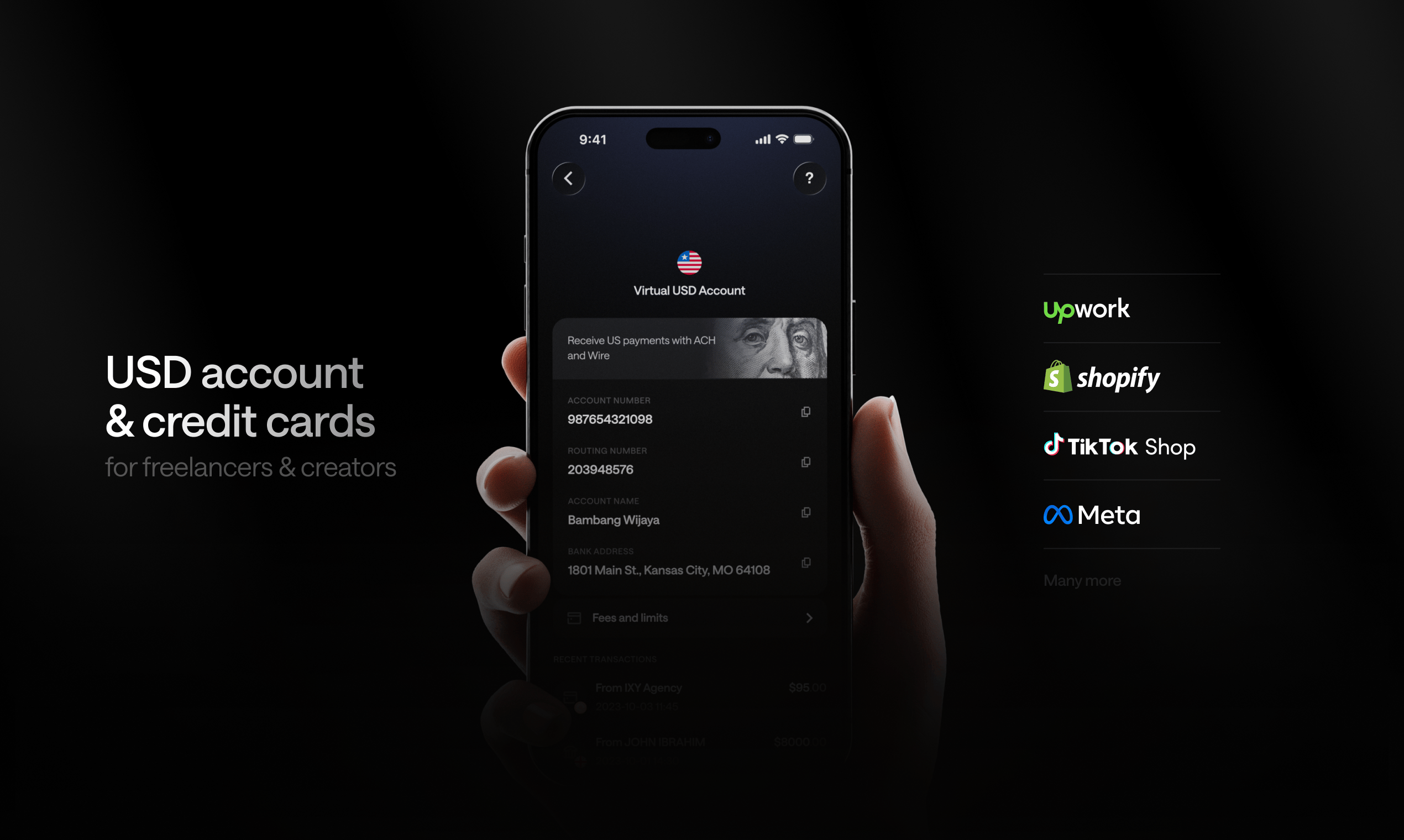
A virtual USD account gives you real US banking details — an account number and routing number — that you can hand to any platform or client. To them, it looks like a standard US bank account. Payments arrive in USD, and you hold them in USD until you decide what to do next.
This is the most direct fix for the "no US bank account" problem.
What to look for in a virtual USD account
- ACH and Wire support — ACH handles most platform payouts (Upwork, Deel). Wire handles larger transfers and international clients.
- SWIFT support — for clients outside the US paying in USD internationally.
- No US address required — this is the key differentiator. Many services require a US address for verification. The best ones don't.
- Low or no conversion fees — the account should hold USD, not auto-convert to your local currency.
- Fast access to funds — you need to be able to spend or withdraw quickly, not wait days for settlement.
Kosh gives you a virtual USD account with ACH, Wire, and SWIFT support, no US address required, and availability across 90+ countries. You can receive from Upwork, Fiverr, Deel, Toptal, YouTube, and most other platforms that support standard US bank transfers.
Option 2: Use a Multi-Currency Account
If you work with clients in Europe, the Gulf, or the UK alongside US-based clients, a single USD account may not be enough. A multi-currency account lets you hold USD, EUR, GBP, and AED in separate balances and receive via the appropriate local rails for each currency.
This matters because receiving EUR via SEPA is cheaper and faster than receiving EUR converted to USD first. Same logic applies to GBP via Faster Payments or AED via local UAE rails.
A good multi-currency setup means you're not losing money on unnecessary conversions just because your account only speaks one currency.
Kosh supports USD, EUR, GBP, and AED accounts in a single app, so you can match the currency to the client without juggling multiple services.
Option 3: Receive Directly into a Stablecoin Account
Some platforms and clients now pay directly in stablecoins (USDC or USDT). If yours do, receiving into a stablecoin-native account means your USD value is preserved without touching a traditional bank at all.
Even if your clients pay in regular USD, a stablecoin-backed account works the same way from your end. You receive USD, it's held as a stablecoin balance, and you spend or send it as needed. The stablecoin part is infrastructure — you don't need to think about it or manage it separately.
The practical benefit: your balance doesn't fluctuate with local currency movements. If the naira drops 10% this month, your USD-denominated stablecoin balance is unaffected.
How to Set Up Your USD Account Step by Step
Here's the practical flow for getting paid from Upwork, Fiverr, or Deel as a freelancer outside the US.
Step 1: Create your account
Sign up with a service that provides a virtual USD account to non-US residents. You'll typically need to verify your identity with a passport or national ID. No US address, no US SSN required.
Step 2: Get your account details
Once verified, you'll receive your US account number and routing number (for ACH), plus Wire and SWIFT details. These are the same details you'd get from a US bank.
Step 3: Add your account to your platform
- Upwork: Go to Settings > Get Paid > Add Payment Method > Direct to US Bank. Enter your account and routing number.
- Fiverr: Go to Earnings > Withdrawal Methods > Bank Transfer. Use your account details.
- Deel: Go to Withdraw > Add Bank Account. Enter your US account details.
- YouTube AdSense: Go to Payments > Payment Methods > Add bank account. Use ACH details.
Step 4: Receive and hold in USD
Payments arrive in your account in USD. You hold the balance, spend it with your card, send it to collaborators, or withdraw to your local bank when the exchange rate is favorable.
Step 5: Spend or withdraw
This is where having a card matters. A virtual or physical card tied to your USD balance means you can pay for AWS, Google Cloud, OpenAI, Figma, Canva, or any subscription directly — no conversion, no transfer, no wait. You can also withdraw to your local bank account when you need local currency.
What to Do With Your USD Once You Receive It
Receiving USD is only half the problem. The other half is spending and managing it without losing value along the way.
Pay for tools directly
Most freelancers use tools priced in USD — AWS, Notion, Figma, Canva, Netflix, GitHub. If you're converting to local currency just to pay for these, you're losing money on every transaction. A USD card eliminates that entirely.
Send money to collaborators
If you work with a team or pay subcontractors, you need a way to send USD internationally without it costing a significant percentage of the amount. Look for a service that lets you send by email or to a bank account globally, in fiat or stablecoin.
Withdraw to local bank strategically
You don't have to convert everything immediately. Holding your balance in USD and withdrawing to your local bank when the rate is better is a straightforward way to protect your earnings from local currency swings.
Earn rewards on spending
Some accounts offer cashback on card spend. Kosh offers 5% cashback on hotel bookings and 10% reward points on eligible card spend — worth factoring in if you travel or book accommodation regularly for work.
Common Mistakes Freelancers Make With International Payments
Withdrawing everything immediately. Converting USD to local currency the moment it arrives means you're at the mercy of whatever the rate is that day. Holding USD gives you flexibility.
Using PayPal as your primary USD account. PayPal is convenient but charges significant conversion fees and has limited withdrawal options in many countries. It works as a backup, not a primary account.
Not checking platform withdrawal fees. Fiverr, Upwork, and others charge different fees depending on your withdrawal method. Direct bank transfer (ACH) is almost always cheaper than PayPal or Payoneer withdrawals.
Keeping funds in multiple disconnected apps. If your USD is in one app, your card is another, and your transfers go through a third service, you're paying fees at every handoff. One account that handles receiving, holding, spending, and sending is more efficient.
What to Look for in a Global Freelancer Payment Account in 2026
Not all virtual USD accounts are equal. Here's a quick checklist:
- Accepts freelancers from your country (check the supported countries list)
- Provides real US ACH and routing details, not just a payment link
- Supports SWIFT for international USD transfers
- Holds USD without auto-converting
- Comes with a card (virtual and/or physical) for direct spending
- Supports Apple Pay and Google Pay
- Lets you send money internationally, including to other freelancers
- No US address required for signup
Kosh was built specifically for this use case. It covers all of the above and is available across 90+ countries, with integrations that work directly with Upwork, Fiverr, Deel, Toptal, YouTube, and other major platforms.
Start Getting Paid in USD Without the Friction
The infrastructure for receiving USD as a non-US freelancer is genuinely better in 2026 than it was even two years ago. You no longer need a US address, a US friend, or a complicated workaround. You need the right account.
Open your free account at koshmoney.com and get paid globally — no US address needed.
Frequently Asked Questions
Can I receive USD payments from Upwork without a US bank account? Yes. You need an account that provides real US ACH routing and account numbers. Virtual USD accounts from services like Kosh give you these details without requiring a US address or SSN. You enter the account number and routing number into Upwork just like a regular US bank.
How do freelancers in Nigeria receive USD payments in 2026? Nigerian freelancers can use a virtual USD account to receive payments via ACH, Wire, or SWIFT from platforms like Upwork, Fiverr, and Deel. The funds arrive in USD and can be held, spent with a card, or withdrawn to a local Nigerian bank account when needed.
What is the best way to withdraw from Fiverr outside the US? Direct bank transfer using a virtual USD account is typically the most cost-effective option. It avoids the conversion fees that come with PayPal or Payoneer withdrawals. You'll need an account that provides US bank details to use this method.
Do I need a US address to open a virtual USD account? Not with the right service. Kosh, for example, provides a virtual USD account to freelancers in 90+ countries without requiring a US address. You verify your identity with a passport or national ID.
What is a stablecoin account and why would a freelancer use one? A stablecoin account holds your USD balance in a digital dollar (like USDC or USDT) rather than a traditional bank deposit. The value stays pegged to USD, so you're not exposed to local currency fluctuations. For freelancers in countries with volatile currencies, this is a practical way to preserve USD earnings without managing a crypto portfolio.
Can I use a virtual USD account to pay for tools like AWS or Figma? Yes, if the account comes with a card. A virtual or physical card tied to your USD balance lets you pay for any USD-priced subscription or service directly, without converting to local currency first.
How long does it take to receive a payment via ACH into a virtual USD account? ACH transfers typically settle within 1 to 3 business days, depending on the sending platform. Wire transfers are generally faster for larger amounts. SWIFT international transfers can take 1 to 5 business days depending on the originating bank and any intermediaries involved.